
 Additional settings for Safari Browser.


📲 Important Update: Streamlining Your ParentSquare Notifications
 |
Greetings LCS Families!
As part of Parent Square's ongoing commitment to effective communication, they are implementing the Smart Delivery System, which will affect the way "Post" notifications are delivered. A slow rollout for this update is underway, designed to improve your experience.
What this means for you:
If you use the ParentSquare app and have both app and text notifications turned on, you'll receive post notifications through the app, with text notifications sent only as a backup when needed.
You may have already received a notice from ParentSquare yesterday labeled "Update" that included linked information about these changes. Here is that link again for your reference.
Why the change?
The purpose of this update is to streamline how you receive information. The goal is to reduce the number of individual notifications sent to your device for every single post, making it much easier for you to keep track of school updates in one central place without feeling overwhelmed.
What about urgent messages?
Please rest assured that Direct Messages (from teachers or staff) and Urgent Alerts (such as safety notifications or weather closures) will not change. These will continue to be delivered immediately via your preferred method (text, email, or app notification).
How to customize your settings:
To ensure this new notification flow works for you, please review the steps and graphics below to learn how to adjust your notification settings to fit your preferences.
👉 If you see this pop-up when you launch your Parent Square app, simply select 'Review My Settings'.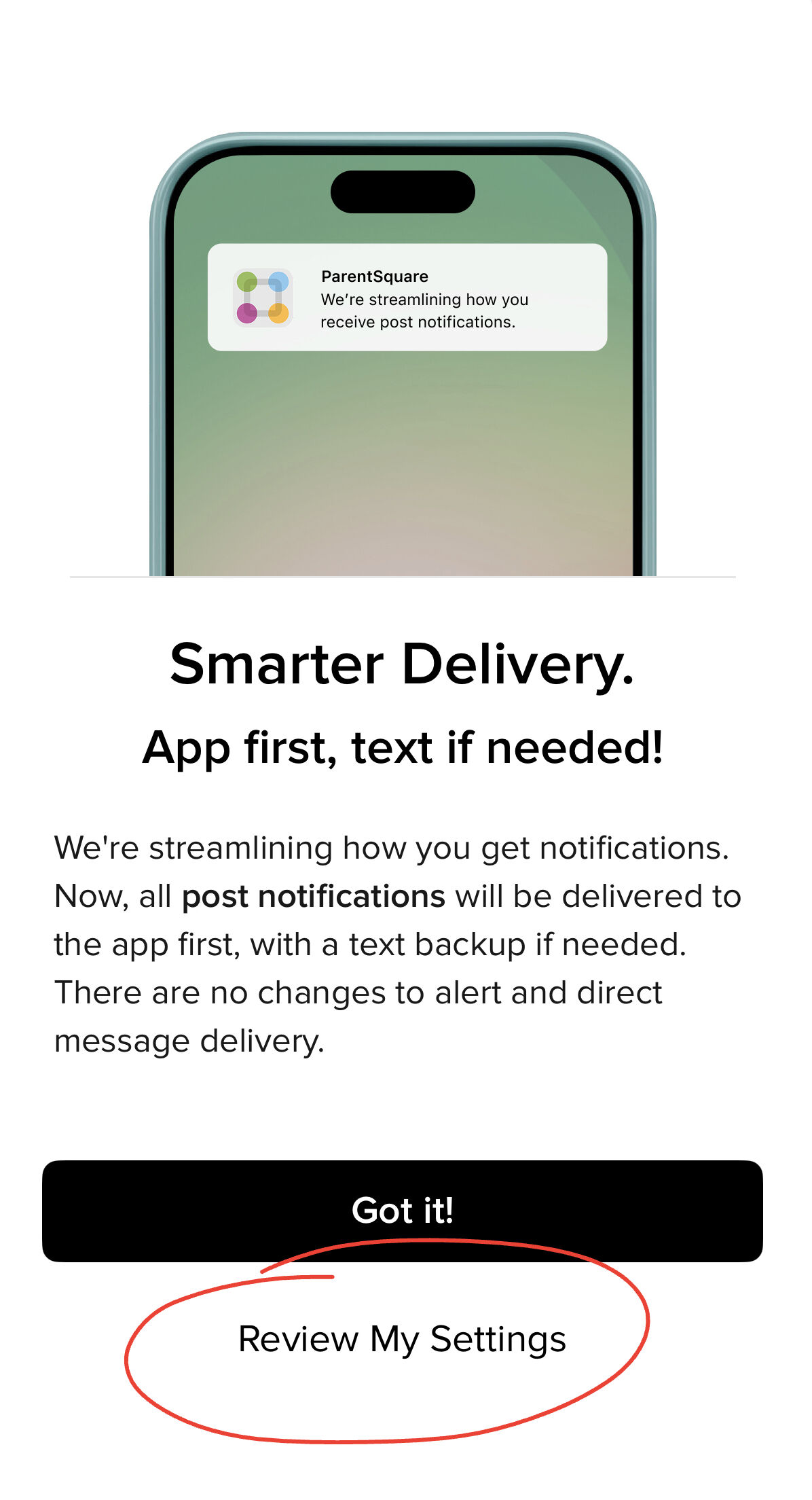
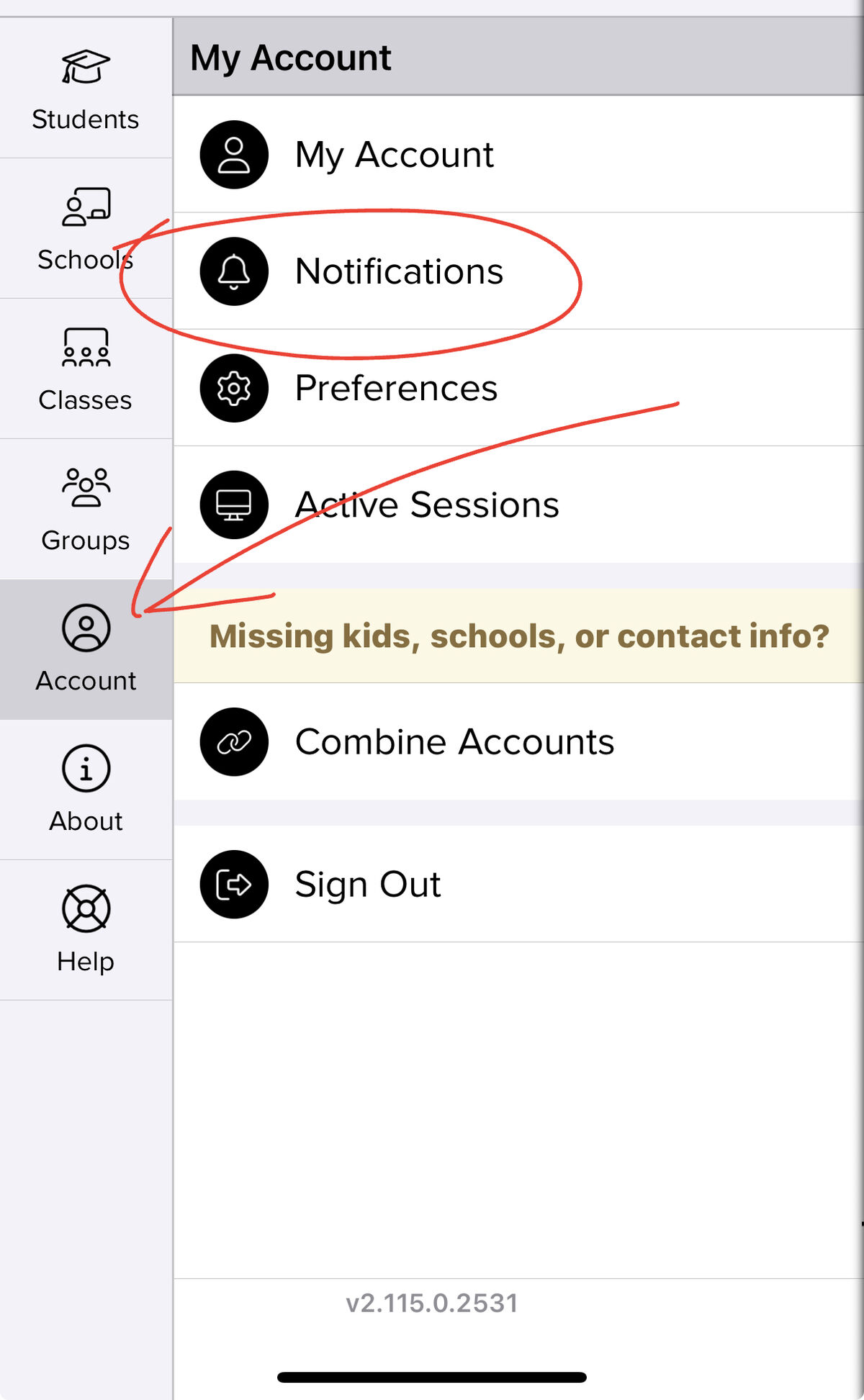
👉 If you do not see this pop-up, you can still access your notification settings by selecting the Three Lines in the top left corner of the app > Select Account > Select Notifications.
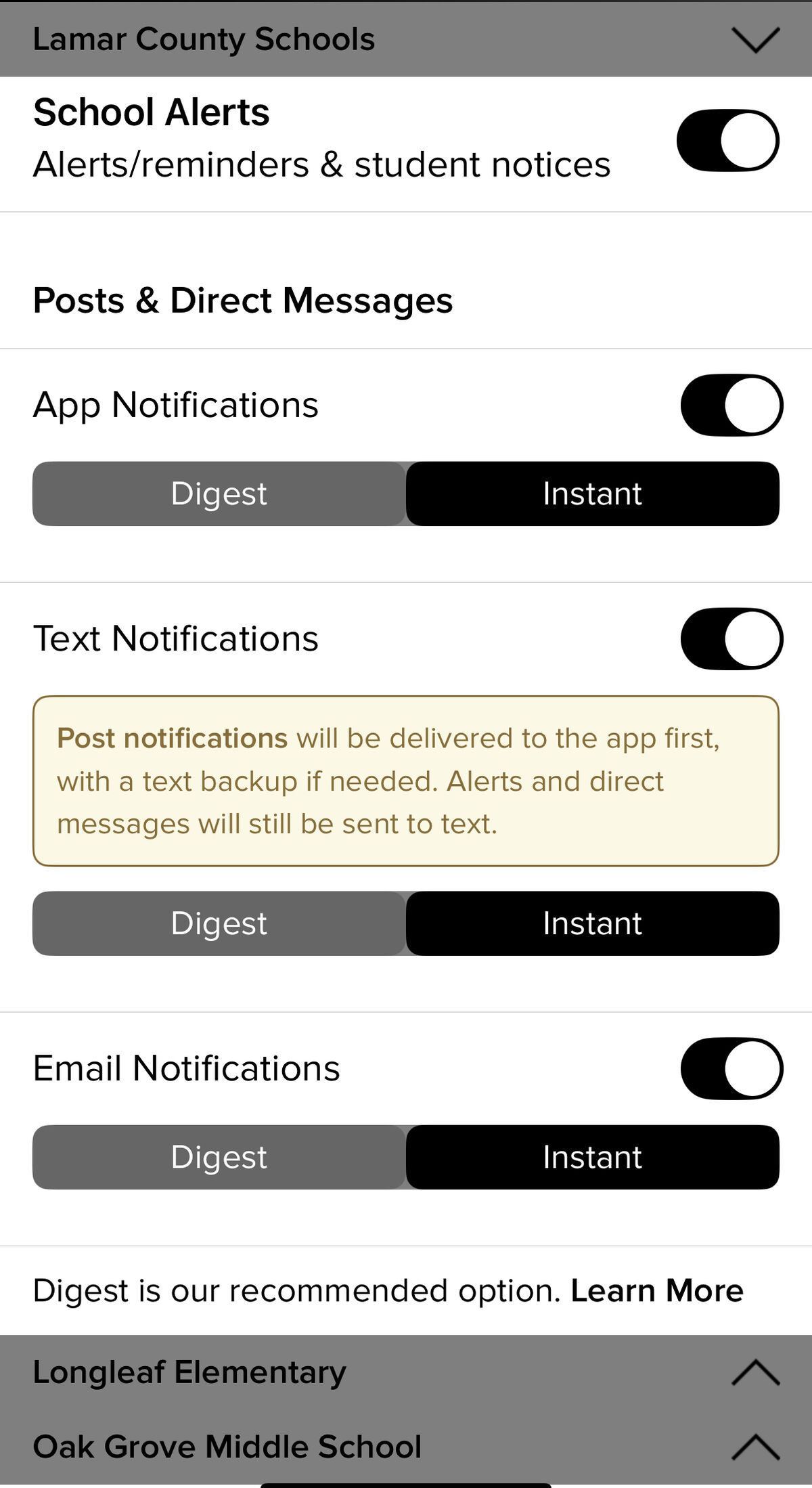
👉 Select your desired notification preference/s: app, text, email, or all of the above by toggling the radio buttons on or off. Be sure to review district AND individual school notification preferences. School notifications are located below the district notification options. Select the dropdown menu to view school notification preferences. *Remember to select if you would like post notifications to be sent Instantly or as a Digest (meaning posts would be sent once a day in the evening with all posts from that day).
Will I receive a text notification if I have the app but have turned off app (push) notifications?
Yes. If you've turned off app (push) notifications for ParentSquare, we skip the app notification and send a text message instead. Smart notifications only apply if both text and app (push) notifications are turned on.
Thank you for your patience and partnership as Parent Square works to make our district communication more efficient for everyone!